User manual
Less Comp
A clean compressor with the transfer curve and gain reduction on one screen.
macOS: AU and VST3, Apple silicon · Windows: VST3, 64 bit
mixlessaudio.com · support@mixlessaudio.com
Overview
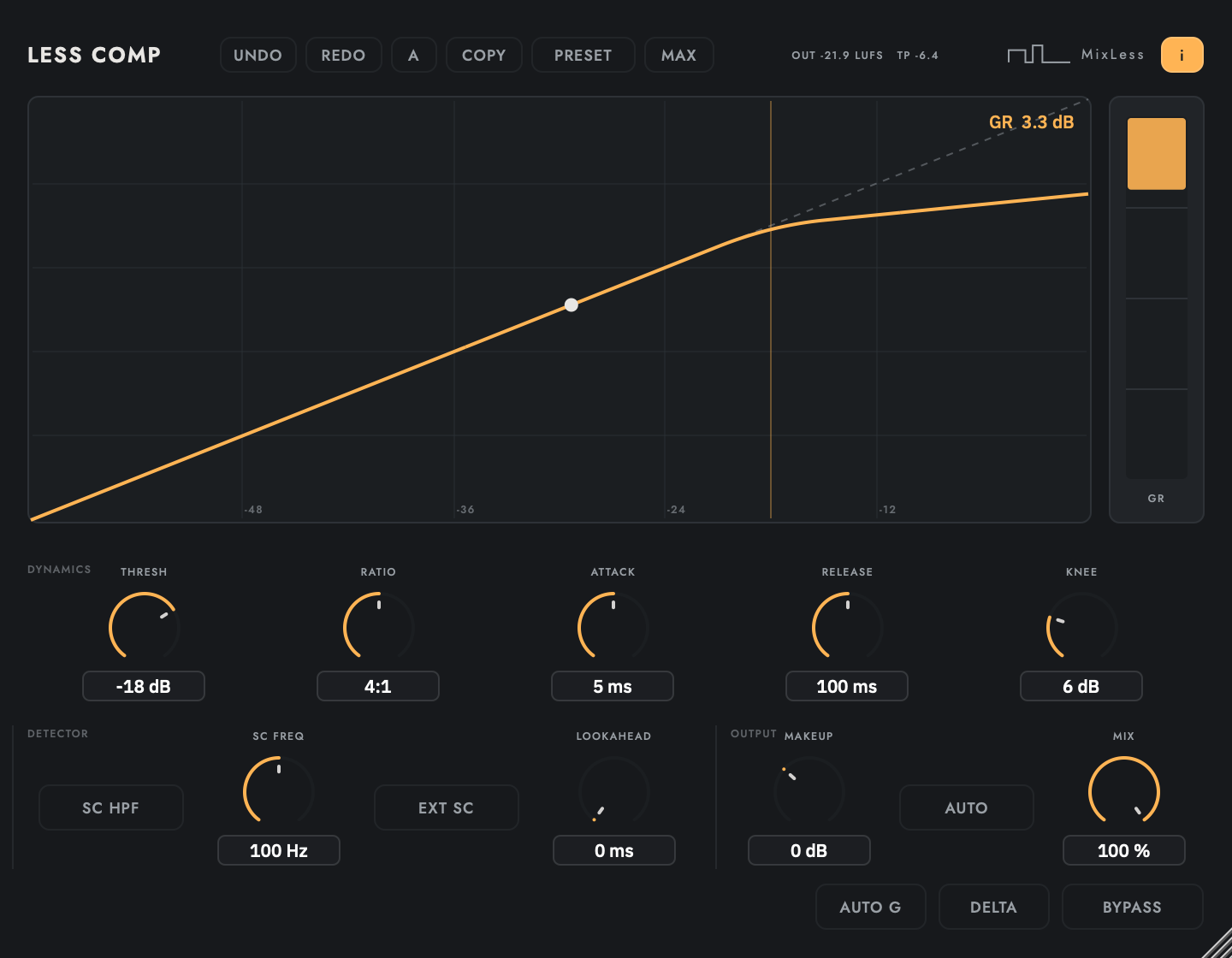
Less Comp is a clean single-band compressor. The transfer curve and the gain reduction meter share one screen, so the settings you dial are visible as a shape while you listen. Sidechain input and lookahead are built in.
Installation
Run the installer for your platform. On macOS the AU
and VST3 versions install for all users; on Windows the VST3 installs
under Common Files. Factory presets install into your user preset
folder and are never overwritten: presets you save land in the same
folder and stay yours.
| macOS presets |
~/Library/Application Support/MixLess/Presets/Less Comp |
| Windows presets |
%APPDATA%\MixLess\Presets\Less Comp |
The interface
The screenshot is the shipping
interface, rendered by the shipping code. Press I in the plugin to
toggle the same control descriptions as cursor tooltips.
The screen while it works
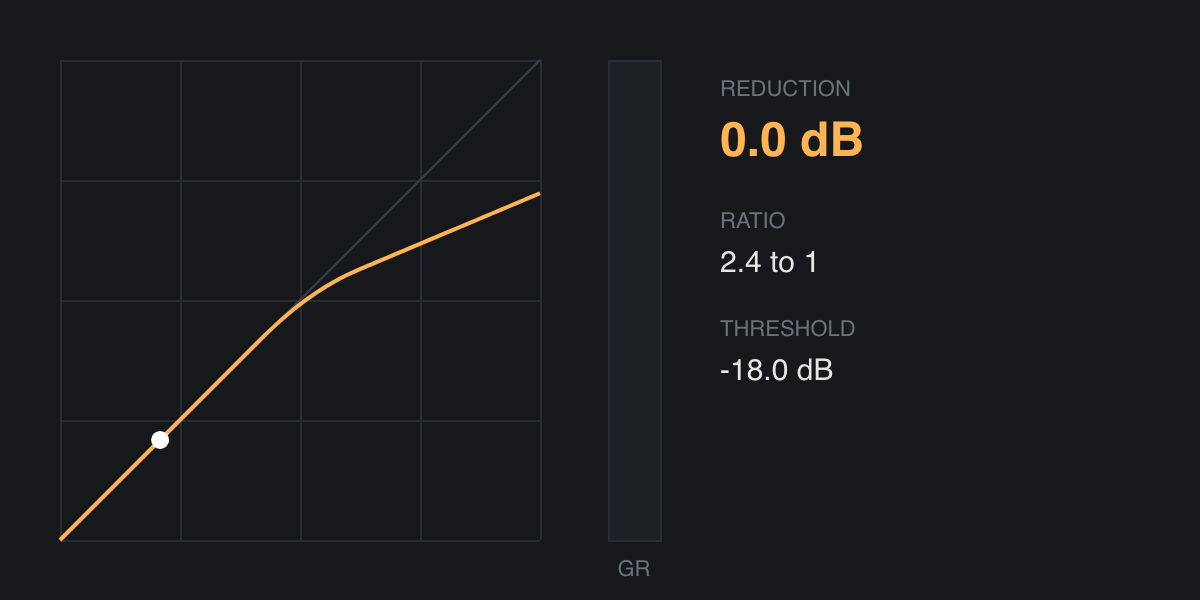
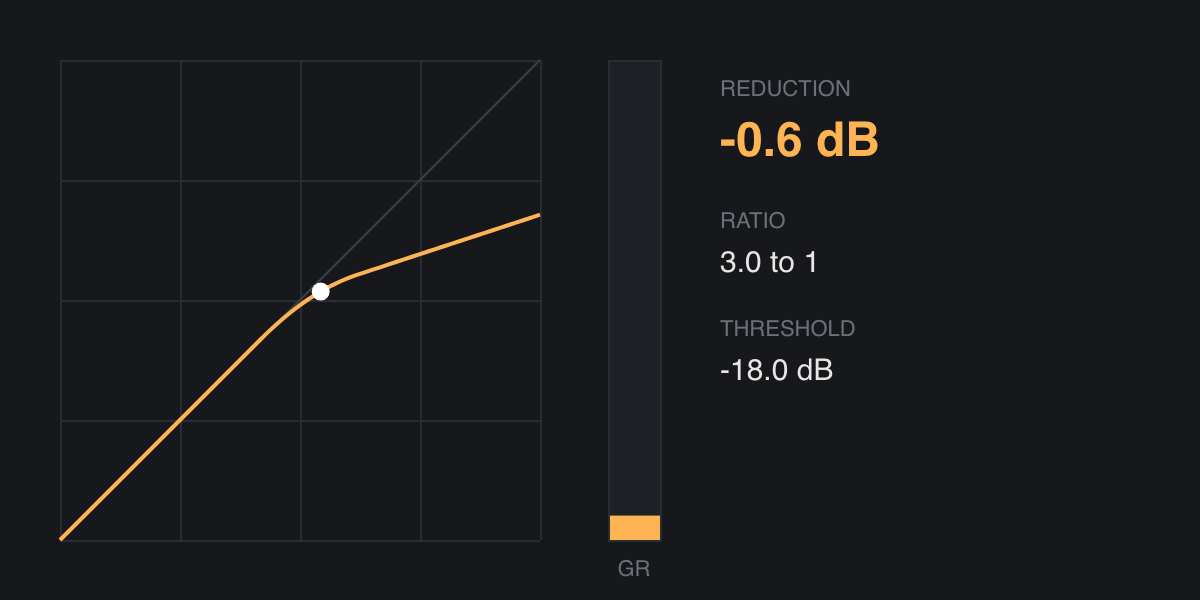
Two moments from the same
display: at rest, and with material running through it. Print cannot
move, so these are frames of the animation rather than a drawing of
it.
Workflows
Level a vocal
Start from the Vocal Leveler preset. Lower the threshold until the GR meter shows 3 to 6 dB on the loud phrases; the transfer curve shows exactly where the knee sits.
Parallel drum compression
Set Ratio high and Attack fast, then pull Mix to about 50%. The dry path is delay aligned, so blending is free of comb filtering.
Duck a bass under the kick
Route the kick to the sidechain input in your DAW and enable EXT SC. The detector listens to the kick while the audio path carries the bass.
Tips
The ratio you dial is the slope you get: 4:1 compresses to a tested 1/4 slope above the knee.
Lookahead catches fast transients cleanly; the added latency is reported to the host exactly.
Below the threshold the signal passes unchanged.
Specifications
| Formats | AU, VST3 |
| Latency | 0 samples, 240 at 5 ms lookahead |
| Sidechain | internal or external bus |
| Factory presets | 8 |
Support
Questions and problems: support@mixlessaudio.com.
Legal notices, the privacy notice and third-party licences:
mixlessaudio.com.