User manual
Less Tube
Valve saturation with four models, built as a device: the valve in its socket, a VALVE meter, the transfer curve and the live harmonic fingerprint.
macOS: AU and VST3, Apple silicon · Windows: VST3, 64 bit
mixlessaudio.com · support@mixlessaudio.com
Overview
Less Tube is a valve saturation plugin built as an instrument you can read. The window is a rendered front panel: the model you choose sits in the socket, a VALVE meter shows how hard the signal is driven, and the transfer curve and harmonic fingerprint show what the valve does to the music while it plays. Four models: Triode for even-harmonic warmth, Pentode for odd-harmonic edge, Vari-Mu for gain that gives way as you drive it, and Iron for weight in the lows.
All four models are included with the plugin. Sessions saved with an earlier build that shipped two models open unchanged: the model parameter has kept the same four slots from day one.
Installation
Run the installer for your platform. On macOS the AU
and VST3 versions install for all users; on Windows the VST3 installs
under Common Files. Factory presets install into your user preset
folder and are never overwritten: presets you save land in the same
folder and stay yours.
| macOS presets |
~/Library/Application Support/MixLess/Presets/Less Tube |
| Windows presets |
%APPDATA%\MixLess\Presets\Less Tube |
The interface
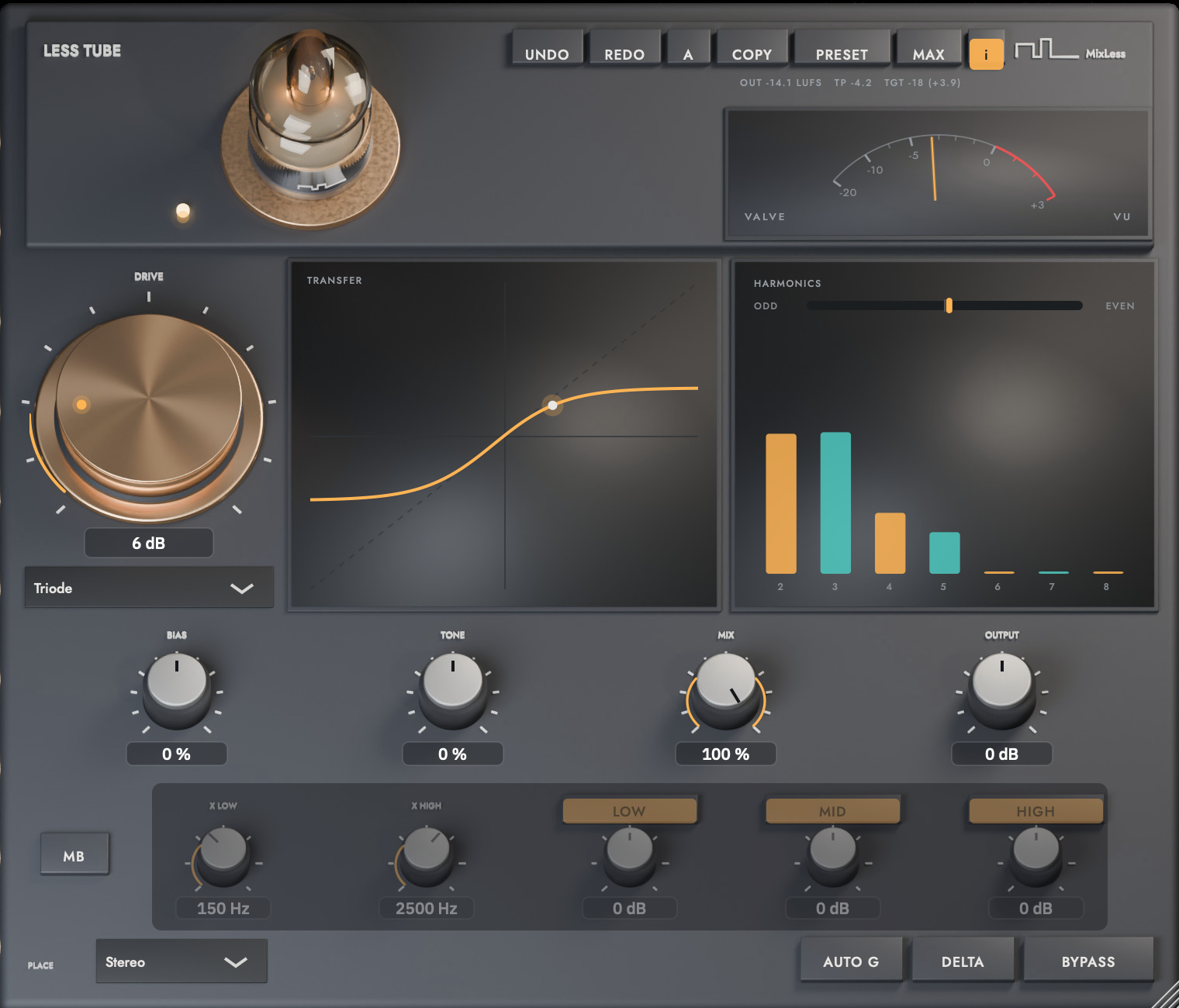
The screenshot is the shipping
interface, rendered by the shipping code. Press I in the plugin to
toggle the same control descriptions as cursor tooltips.
The screen while it works
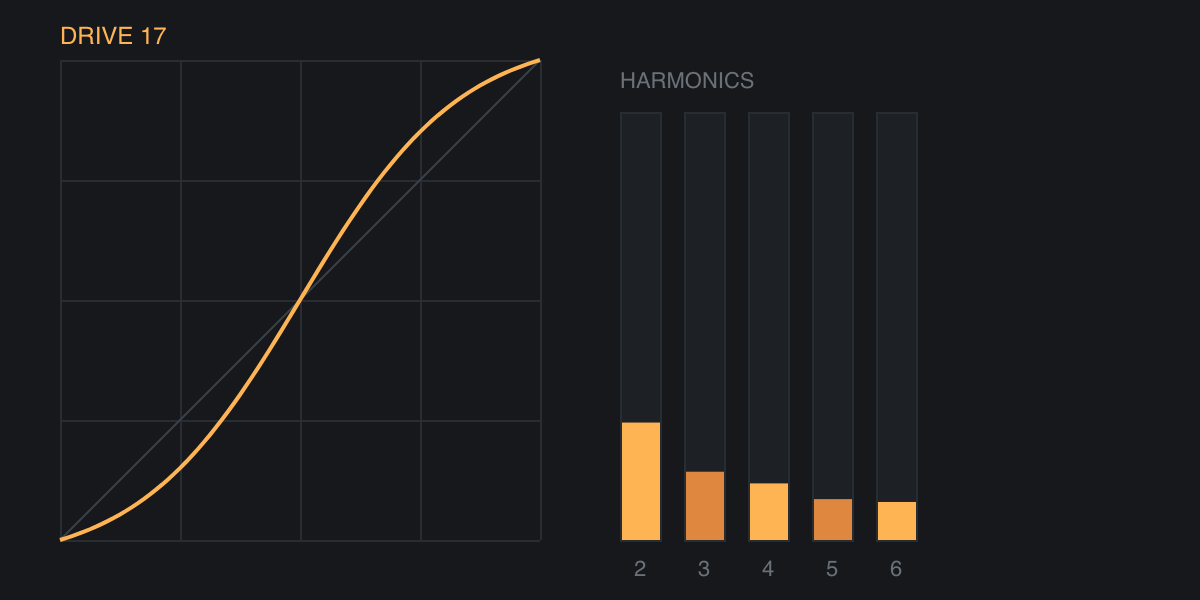
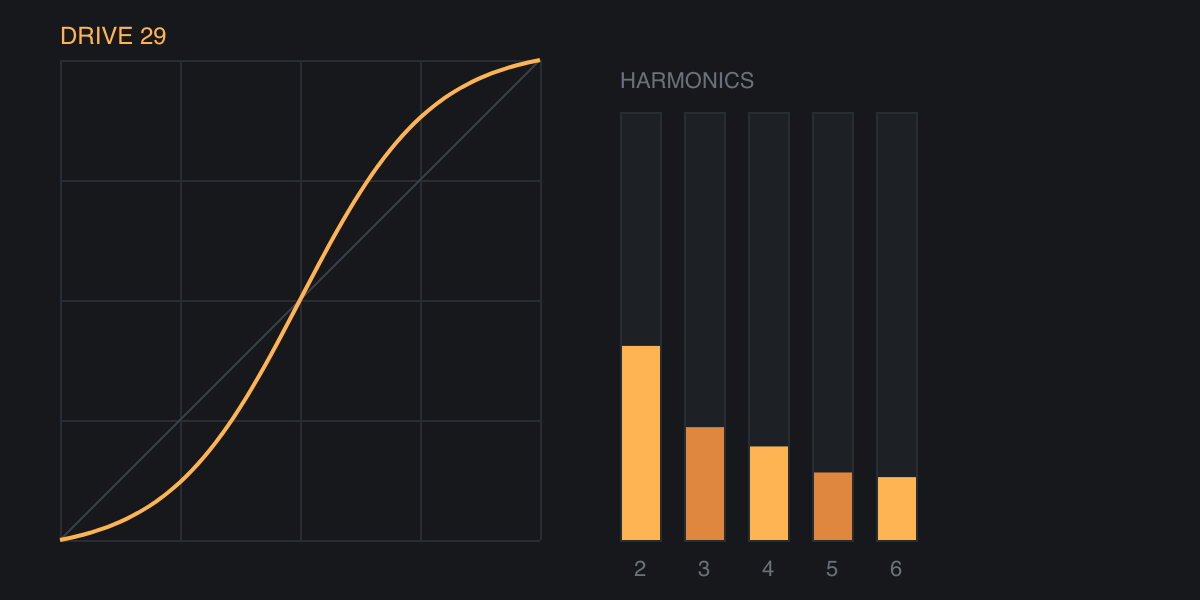
Two moments from the same
display: at rest, and with material running through it. Print cannot
move, so these are frames of the animation rather than a drawing of
it.
Workflows
Warm up a vocal
Choose Triode, set Drive around 8 dB and Bias around 45%. Watch the harmonic display: the amber (even) bars grow as Bias rises, and the valve on the deck glows with them. Pull Mix back to about 85% so consonants keep their edge, and leave AUTO G on so the level stays honest.
Choose the valve by ear
Play the same loop through all four models at the same Drive. Triode is soft and even, Pentode harder with odd harmonics and a plate that reddens when pushed, Vari-Mu gives way as the signal pushes so the material evens out, Iron saturates the lows first. The VALVE meter reads the same for all four: zero is where the curve starts to bend.
Add weight to a bass or drum bus
Choose Iron: it saturates the lows first. Push Drive until the transfer curve shows the signal reaching the bend, then use Tone toward the negative side to focus the saturation further down.
Hear exactly what the valve adds
Press DELTA: you hear only the difference between input and output. Adjust Drive and Bias while listening to the delta, then release it. With Bypass on, delta plays silence, which is the proof that bypass really is a passthrough.
Tips
A/B character, not loudness: with AUTO G on, the output glides back to the input's perceived level.
Warmth starts around Bias 35%: that is where the second harmonic clearly overtakes the third in our measurements.
Read the VALVE meter, then the curve: a needle near zero means the signal is at the bend, the red zone means hard saturation.
Drive the lows alone: enable MB and raise only the low band's drive; every band carries the same latency, so the bands stay phase aligned.
The window keeps its proportions when you resize it, from 640 to 1140 pixels wide; MAX opens it large in one step.
Specifications
| Formats | AU, VST3 |
| Latency | 48 samples, reported exactly |
| Oversampling | 4x, polyphase FIR |
| Models | Triode, Pentode, Vari-Mu, Iron |
| Factory presets | 12 |
| Channels | mono, stereo, mid/side placement |
| Window | 760 by 650 by default, aspect locked, 640 to 1140 wide |
Support
Questions and problems: support@mixlessaudio.com.
Legal notices, the privacy notice and third-party licences:
mixlessaudio.com.